Skip to content

Speak your language.
Display their language.

Pull out your phone, pick their language, and speak. They read live captions — right now, while you both stay face to face.

What you can do

Live captions and translation

Speak. Large captions show in the other language.

Free: all caption languages.

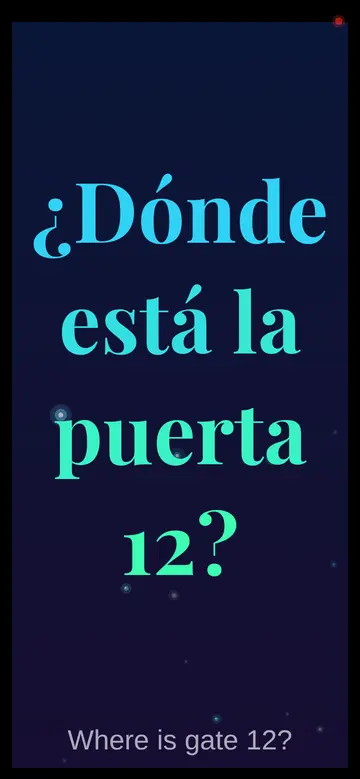
App caption screen with the Spanish caption “¿Dónde está la puerta 12?” and the typed English phrase “Where is gate 12?” below
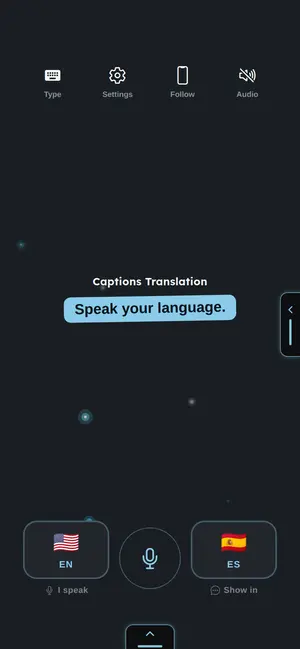
App home screen with language buttons and a microphone button
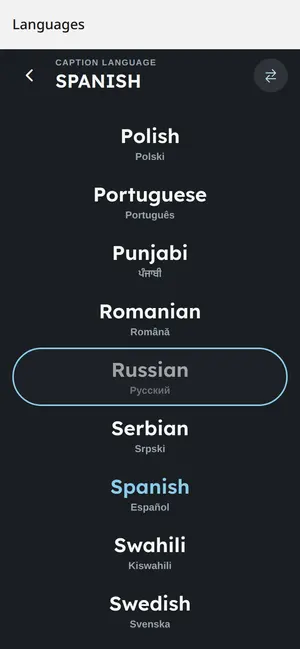
Caption language list in the app, with Spanish selected
Demo caption: a typed sample phrase, English to Spanish. Playfair is a Pro caption font.
More details
Hold up your phone and speak
Point your phone toward the person in front of you and speak. They read a live translation in their language — big, clear text, readable from a distance.
Read the full guide

CapSession: share and join

Show captions on other phones. Scan a code or type it.

Free: up to 3 viewers. Pro: Group Captions, up to 30 viewers.

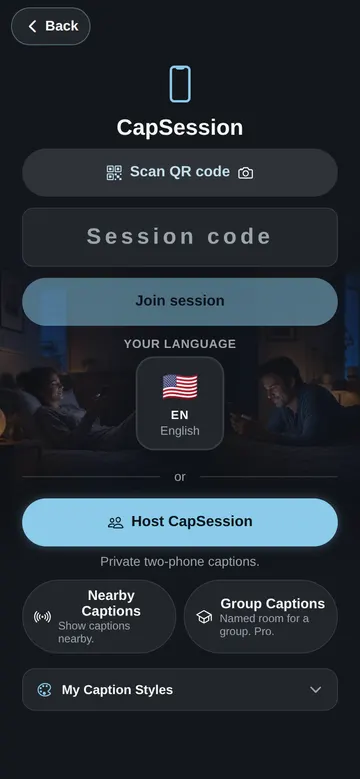
CapSession screen with Scan QR code, Join session, and Host CapSession buttons
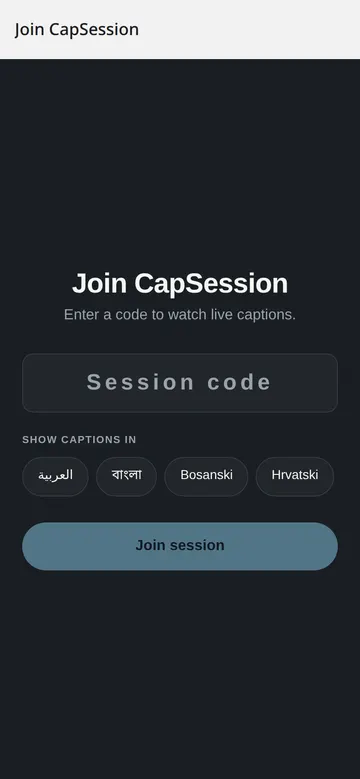
Join CapSession screen with a session code field
More details
One link. Any browser.
Share a link or show a QR code. Viewers open it on any device — no app, no account, nothing to download. They pick their language and start reading.
CapSession — a real back-and-forth
Open the app, share your CapSession, and your partner joins on their own phone. You each speak. You each read the other's words in your own language — live, with no delay.
One host. Up to 30 viewers.
You speak. Everyone in the room reads your words in their own language, on their own screen, at the same moment.
Strong in the classroom
One teacher speaks. Up to 30 students read along — each in their own language, on their own device.

Read the full guide

Caption Style Studio

Choose fonts, colors, and effects. See a live preview.

Free styles included. Pro: premium fonts, backdrops, and effects.

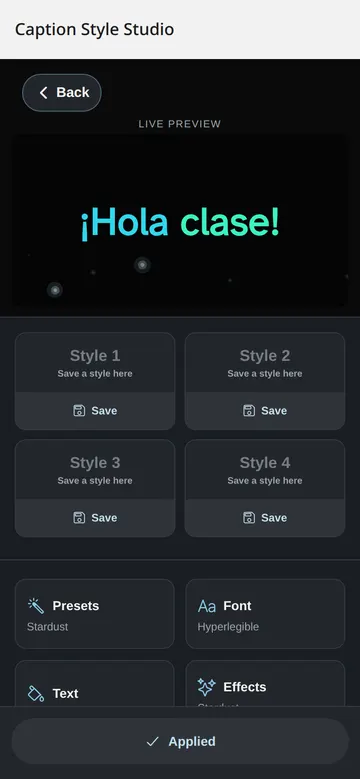
Caption Style Studio with a live preview and four style slots
More details
Make captions yours
Pick fonts, colors, backdrops, and text effects. A live preview shows every change before you apply it.
Read the full guide

Privacy, transcripts, and access

Choose what the app saves and shows.

Free: latest transcript on your phone. Pro: all transcripts in the cloud.

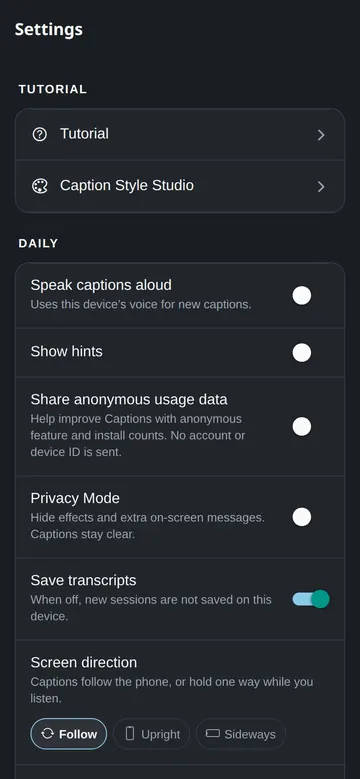
Settings screen with Privacy Mode and Save transcripts switches
More details
Privacy Mode
One switch hides effects and extra on-screen messages. Captions stay clear.
Every word saved
Every session builds a transcript automatically. Read it, copy it, or download it any time.
Read the full guide

Real app screenshots, from the web version.

Share & Earn

Share your personal invite link. When a friend signs up, they get Pro free. You can earn Pro rewards too.

A better way to talk across languages

The usual tools were built for tourists, not for real conversations. Here is why they fall short.

Earbud translators

You hand an earpiece to a stranger. Only one person gets the translation. Spoken audio cannot be read again.

Translation glasses

Expensive. Only the wearer sees the text. The text is small. Everyone else is left out.

Typical translator apps

You speak in turns and pass the phone. The text is small. Both people look down at one screen.

Captions on your phone

No extra hardware. You speak without stopping. They read big, clear captions from a normal distance — on their own screen.

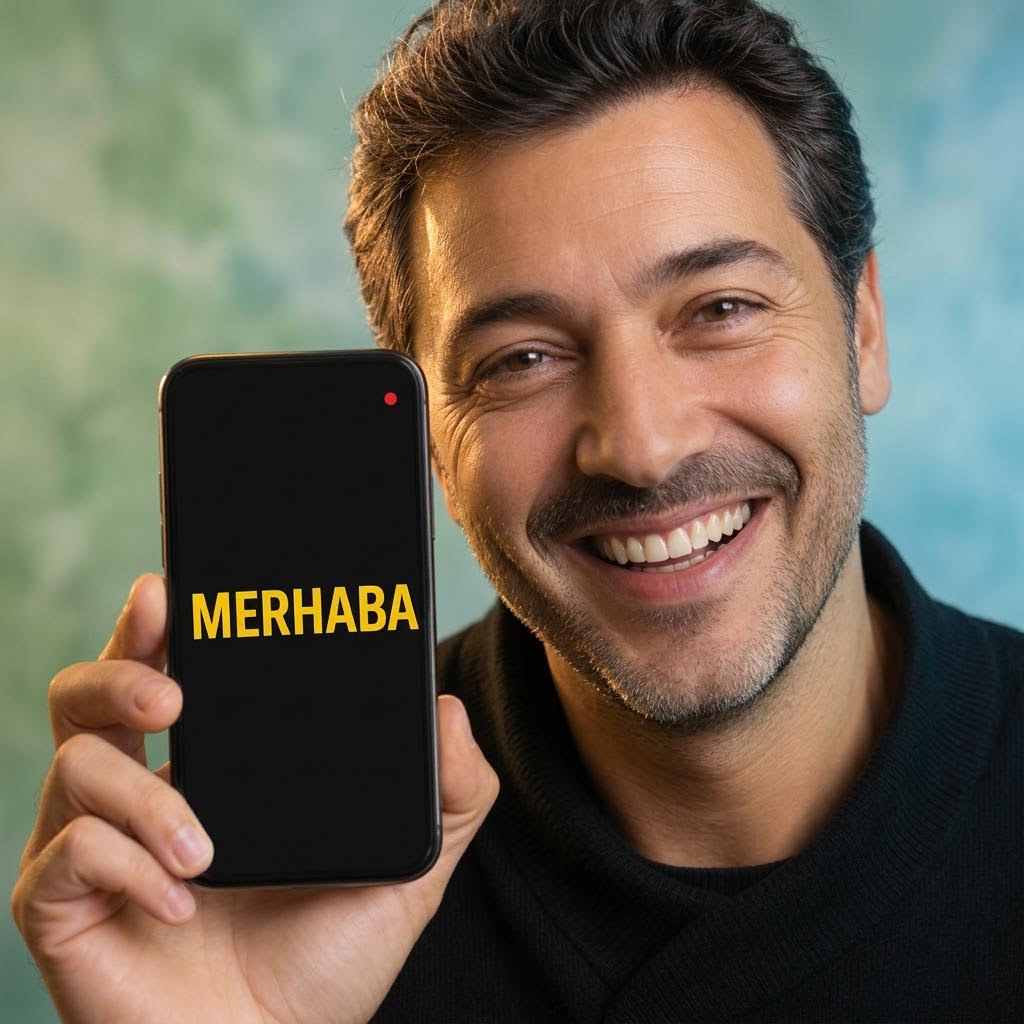
A close-up of a man smiling in the glow of his phone showing a large yellow caption.

Built for how people actually talk

A real conversation is more than words. Every design decision protects what makes it human.

Eye contact stays

The captions face the other person. You look at each other — not down at one shared screen.

Reading is instant

Captions appear word by word as you speak. The other person can re-read any line.

Your screen stays calm

The Listening Stage keeps your screen almost blank while they read. One small light shows the mic is on.

Dignity for both sides

Nothing on screen embarrasses either person. No alert sounds. No flashing.

Two people keep eye contact while one holds out a phone with a live caption visible between them.

How it works

Open the app and you're live. No setup for you. No app for them.

Step 1

Open and speak

Open the app, pick their language, and start talking. The first caption appears in seconds.

Step 2

They join instantly

Share a link or show a QR code. They open it in any browser — no download, no account.

Step 3

Everyone reads live

Each person picks their language. Captions appear word by word as you speak.

Four things that never change

Every session stands on these.

Near-instant translation

Captions appear as you speak. No turn-taking. No waiting for the sentence to finish.

Pocket to captions in seconds

Open the app and speak. The first caption never waits for setup or a sign-in prompt.

Readable across the room

Big, high-contrast text built for reading at a distance. Works well on older phones too.

Captions in your style

Style Studio gives you fonts, colors, backdrops, and effects. Every style passes a legibility check.

Made for reading at a distance.

Captions use Atkinson Hyperlegible. The Braille Institute helped create this typeface. It makes similar letters easy to tell apart.

  • Large, high-contrast text
  • A clean screen with no clutter
  • Works well on older phones
Live captions

The difference between an 'l' and a '1' matters.

Make captions yours

Style your captions. Every viewer sees your look, live — the moment you apply it.

Caption Style Studio

Pick fonts, colors, backdrops, and text effects. Every change shows live in the preview.

Ambient effects

Add flames, lightning, or a voice pulse around the captions. Seasonal packs arrive through the year.

Classroom vibe sync

Your style appears on every viewer's screen the moment you apply it. The whole session shares one look.

Celebration moments

Tap once to send confetti to every viewer. Good answers deserve a moment.

Style never breaks reading

  • Every style passes a contrast check. Readable is the rule.
  • High-contrast and reduce-motion settings always win over any style.
  • Viewers can switch to a high-legibility view at any time.
  • Every style previews free. Pro unlocks Apply.

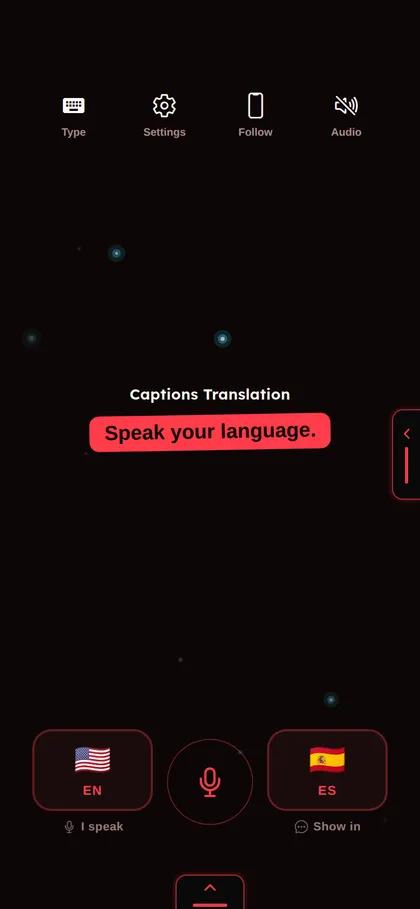
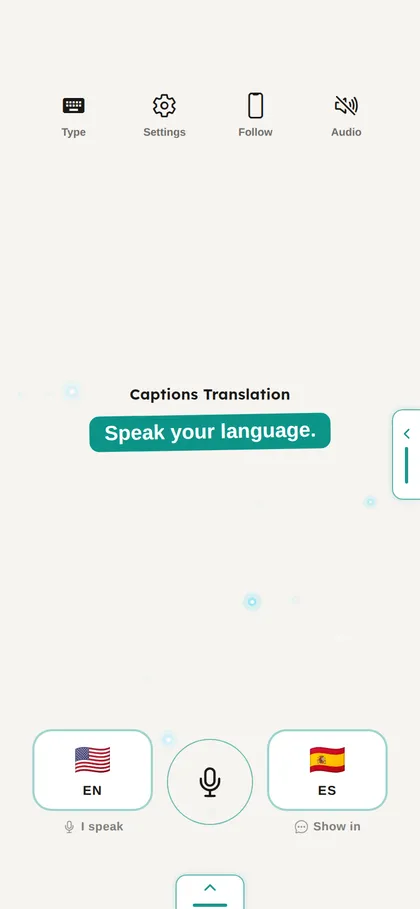
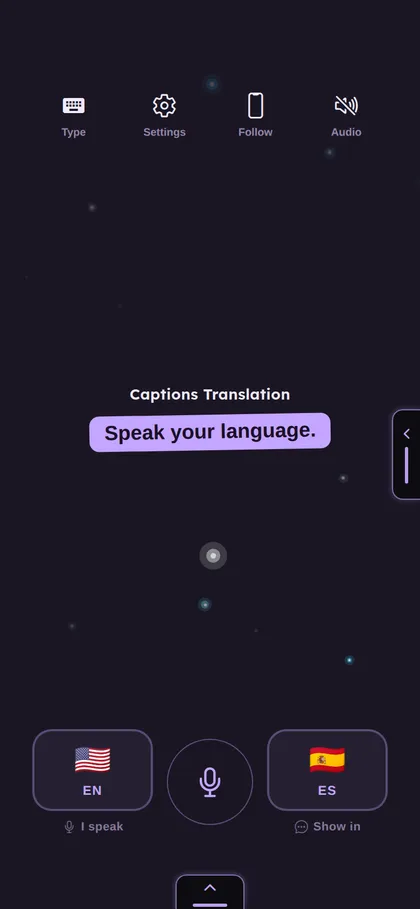
Pro app skins

Change the color of every app screen. Pro adds 8 skins.

  • Pro: Ember, Ocean, Violet, Slate, Carbon, Pearl, Blossom, and Dusk.
  • Pick a look that is easy for you to read.
  • Free: Dark, Light, Lagoon, Night, and High contrast.
  • App home screen with the Ember skin
    Ember Pro
  • App home screen with the Pearl skin
    Pearl Pro
  • App home screen with the Dusk skin
    Dusk Pro
Real screenshots of the app home screen, from the web version.

Everything included

One app. No extra hardware. No account needed to be a viewer.

  • Viewers join from any browser — no account, no download.
  • Share a link or show a QR code — your choice.
  • Captions in 33 languages, including right-to-left scripts.
  • Automatic transcripts after every session.
  • Pro saves all transcripts to the cloud.
  • Viewers join with a session code or a QR code.
  • Viewers keep their language when they rejoin.
  • High-contrast view is always one tap away.
  • Classroom vibe sync shares your caption style with every viewer.
  • Celebration moments send a burst of confetti to the whole room.
  • The Listening Stage keeps your screen clear while the other person reads.

Strong in the classroom, too

The same live captions that work one-on-one scale to a whole class.

  • Classroom mode hosts up to 30 viewers through the cloud.
  • Classroom vibe sync gives every viewer the same caption style.
  • Celebration moments send confetti to the whole class at once.

Wherever people need to understand each other

At a counter, on a trip, in a class. Only phones.

Service counters

Hospitals, pharmacies, offices. Hold up your phone and start a conversation. No interpreter needed.

Travel and tours

Lead a group. Every person joins your session and follows your words in their own language.

Community groups

Host a session for up to 30 viewers. Every person reads in their own language, at the same time.

Classrooms

You teach. Every student follows along in their own language — in large, clear text.

33 languages, one session

  • English
  • Español
  • 中文
  • हिन्दी
  • العربية
  • Français
  • Português
  • Русский
  • 日本語
  • 한국어
  • Tiếng Việt
  • Tagalog
  • Deutsch
  • Türkçe
  • ไทย
  • Nederlands
  • ਪੰਜਾਬੀ
  • नेपाली
  • Italiano
  • Polski
  • Bahasa Indonesia
  • Українська
  • Svenska
  • Română
  • Bahasa Melayu
  • বাংলা
  • فارسی
  • Kiswahili
  • Eesti
  • Bosanski
  • Hrvatski
  • Srpski
  • Ελληνικά

Start your first session today.